
Mind Map in Canva vs Mind Map App
Design quality vs thinking speed: pick the right tool for the task.
By Duy Nguyen · Founder, Mind Map Online
Quick answer: Canva is strong for visual design and presentation polish. A dedicated mind map app is stronger for rapid idea capture, branch hierarchy, and iterative thinking. Use Canva for final visuals, and use a mind map app for fast planning.
Why Canva feels slow for mind mapping
Canva is a design tool, so every element on the canvas is yours to position, size, and colour. That freedom is exactly what makes it great for a poster — and slow for a brainstorm. While the ideas are still moving, you are spending time on where each box sits instead of on what it says.
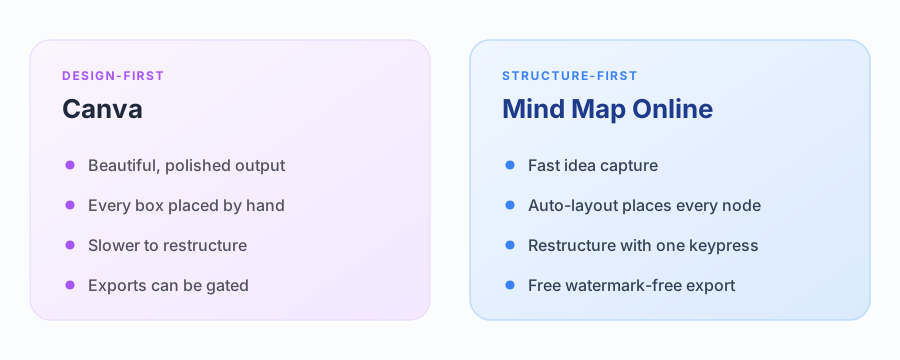
A mind map app flips that order. You type ideas and the layout arranges itself, so the structure can change ten times without you touching a shape. You bring in Canva once the thinking has settled and the map needs to look good.
Canva workflow
- Great template library and visual styling control.
- Best for polished graphics and team presentation assets.
- Slower for deep branch editing during active brainstorming.
Dedicated mind map workflow
- Fast branch creation with keyboard shortcuts.
- Auto-layout keeps structure readable while ideas grow.
- Quick export for reports, docs, and slides.
Canva vs a dedicated mind map app
| Criteria | Canva | Mind Map Online |
|---|---|---|
| Main strength | Visual design and presentation polish | Speed of thinking and structure |
| Adding a node | Drag a text box, then connect it | Press Tab — the branch appears connected |
| Restructuring | Move and re-align elements by hand | Automatic re-layout |
| Templates | Large library of design templates | 21 ready-made mind map structures |
| Export | PNG / PDF, some gated or watermarked | PNG, PDF, SVG — no watermark, no login |
| Login | Account required to save and export | No account at all |
| Best for | The final, shareable visual | Capturing and organising ideas fast |
Practical hybrid approach
- Brainstorm first in Mind Map Online to build structure quickly.
- Export PNG/SVG/JSON when your hierarchy is stable.
- Import into Canva if you need extra brand styling for publishing.
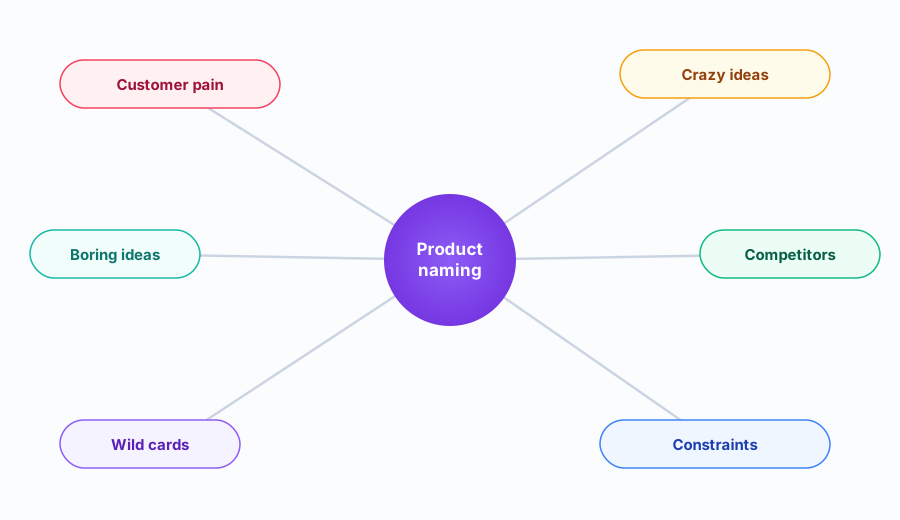
A worked example: planning a product launch
Imagine a launch in three weeks. You open the browser canvas, type “Launch” in the centre, and press Tab for each workstream: Product, Marketing, Support. A second Tab gives you the tasks under each — for Marketing that might be Landing page, Email sequence, and Launch post.
The same map in Canva means dragging a text box for every node, aligning each branch by hand, and re-aligning the whole map every time you add a workstream. For a map that is still growing, the browser canvas reaches that picture in a fraction of the time.
Exporting without a watermark
Mind Map Online exports PNG, PDF, SVG, and JSON with no watermark and no account, so you can drop a clean image into Canva, Notion, or a slide deck. If you do the final styling in Canva, keep the exported map on its own layer so you can swap it out later.
Need a ready-made layout? Pick a free mind map template and customize it — for example the meeting notes template or the study notes template — or check how Word stacks up in our Word comparison guide .
Sources & further reading
FAQ
Can I make a mind map in Canva?
Yes. Canva can create visually pleasing mind maps, especially for presentation graphics. However, branch editing is design-first rather than structure-first.
Is Canva good for fast brainstorming?
For very fast branch expansion, dedicated mind map tools are usually better because they offer keyboard shortcuts, auto-layout, and quick hierarchy actions.
When should I choose Canva for mind maps?
Choose Canva when your main goal is polished visual design for slides or social posts. Choose a mind map tool when your goal is thinking speed and information structure.
What is the easiest no-login option?
Mind Map Online runs directly in your browser without signup. You can map ideas quickly, then export to PNG, PDF, SVG, or JSON without watermark.
Does Canva have a mind map maker?
Canva offers mind map templates and elements you assemble by hand. It is design-first: you position every box. A dedicated mind map tool is structure-first: you type, and the layout builds itself.
Can I export a Canva mind map without a watermark?
Canva limits some exports on free plans and gates others behind Pro. If a clean file matters, build the map in a no-watermark tool and use Canva only for the final styling.
Can I use Canva and Mind Map Online together?
Yes — and it is the recommended workflow. Brainstorm and structure in Mind Map Online, export a PNG or SVG, then bring it into Canva for branding, fonts, and presentation polish.