
Aesthetic Mind Map Maker
Beautiful mind maps in one click. Choose Pastel, Notion Minimal, or Cyberpunk — no design skills needed. Free, no login, export without watermark.
Quick answer: An aesthetic mind map combines visual styling with organized thinking. Mind Map Online offers 1-click themes (Pastel, Notion, Cyberpunk) that instantly transform your mind map — no design skills, no login, free watermark-free export.
1-Click Aesthetic Themes
Notion Minimal
Clean whites, thin borders, print-ready. Perfect for professional notes and study outlines.
Use this theme →Study Pastel
Soft pink, mint, and cream tones. Designed for Gen-Z students who want pretty study maps.
Use this theme →Cyberpunk Dark
Matte black background with neon cyan nodes. Built for coders and night owls.
Use this theme →Why Mind Map Online?
- No login — open the page and start drawing immediately
- Local storage — your data never leaves the browser
- Free export — PNG, SVG, PDF, JSON with zero watermarks
- Smart layouts — one-click Top-Down, Left-Right, or Bottom-Up
How to make an aesthetic mind map
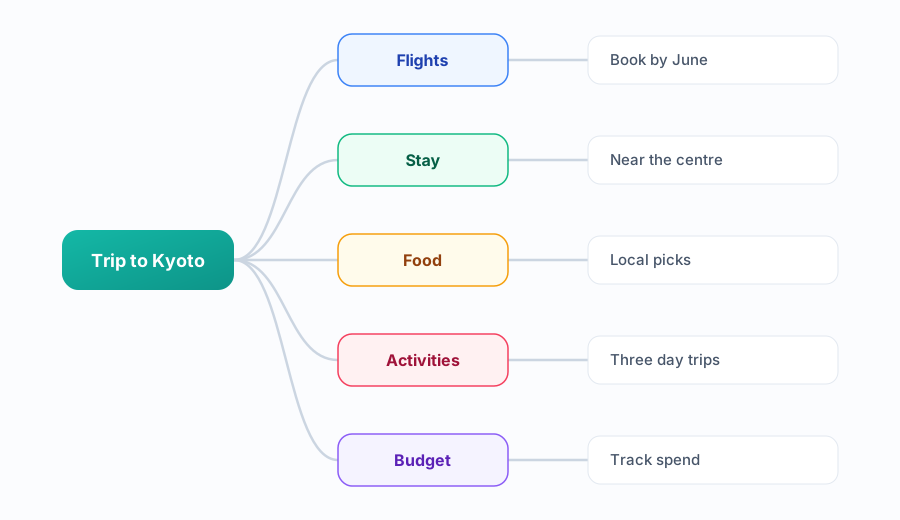
- Pick one theme, then leave it alone. The fastest route to a polished map is a single consistent palette — recolouring branch by branch is what makes maps look messy.
- Limit yourself to two or three colours. One for the root, one for main branches, one accent for highlights. More than three and the hierarchy disappears.
- Keep labels short. Two to four words per node reads better and keeps branches evenly sized.
- Let auto-layout space the branches. Even spacing is what makes a map look designed rather than hand-drawn.
- Export at high resolution. SVG and high-DPI PNG keep the text crisp when you share or print.
Aesthetic Mind Map FAQ
How do I make an aesthetic mind map?
Open Mind Map Online, create your mind map with branches, then apply a 1-click theme like Pastel, Notion Minimal, or Cyberpunk. The theme instantly applies colors, fonts, and styling. No design skills needed.
Best colors for study mind maps?
Soft pastels (pink, mint, cream) work well for study mind maps — they reduce eye strain during long revision sessions. The Study Pastel theme on Mind Map Online is built specifically for this. For print, neutral tones like Notion Minimal look clean on paper.
Can I use aesthetic maps for school projects?
Yes. Aesthetic mind maps make school projects stand out. Use the Notion Minimal theme for a clean, professional look, or Study Pastel for visually engaging presentations. Export as high-res PNG, PDF or JSON to include in your submission.
Do I need design skills to create aesthetic mind maps?
No. Mind Map Online themes are one-click — choose a theme and it automatically styles your entire mind map. You focus on content, the tool handles the aesthetics.
Can I export aesthetic mind maps without a watermark?
Yes. All exports from Mind Map Online are watermark-free. Export your aesthetic mind map as PDF, PNG, SVG, or JSON at no cost.