
How to Make a Mind Map
By Duy Nguyen · Founder, Mind Map Online · Updated August 11, 2026
Learn the method behind a great mind map — how to structure branches, choose layouts, and use color — whether you draw on paper or work in a digital tool. Looking for the 5-minute quick start in the free online maker? See how to create a mind map online .
Quick answer: To make a mind map, open a free browser tool like Mind Map Online, type your central idea, then use Tab to add branches and Enter for sibling nodes. Apply a 1-click aesthetic theme, choose a layout, and export as PDF, PNG, SVG, or JSON. No account, no watermark, under 5 minutes.
Start making a mind map →Step-by-Step: How to Make a Mind Map
Step 1: Start with a central topic
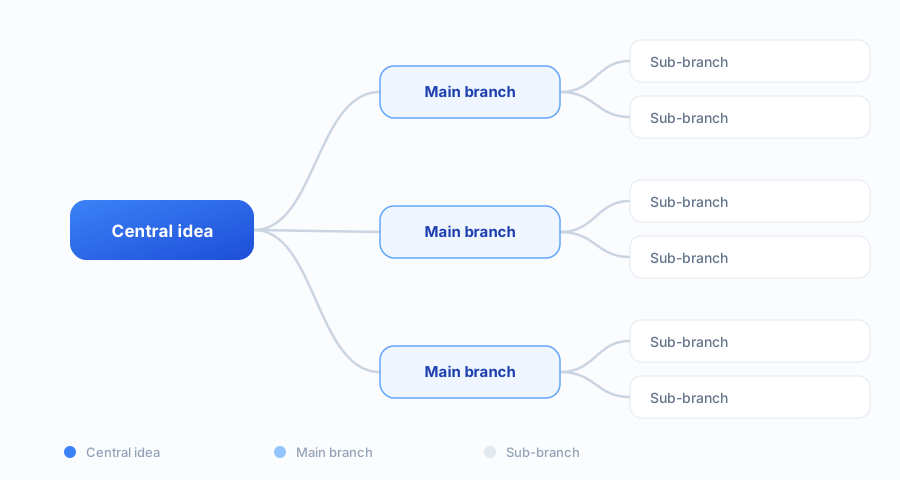
Open the free mind map canvas and double-click the center node. Type your main idea — this is the core of your mind map. Keep it clear and specific, like "World War II Causes" rather than just "History."
Step 2: Add main branches
Press Tab to create child nodes for your main categories. For studying, these might be chapters. For brainstorming, these are key themes. Aim for 3–7 main branches — this is the optimal range for readability.
Step 3: Build sub-branches for detail
Go deeper with Tab for each sub-level. Add key facts, examples, or action items under each branch. Use Enter to add sibling nodes at the same level. Short labels work best — think keywords, not sentences.
Step 4: Apply layout and colors
Choose an auto-layout: top-down for presentations, org-chart for hierarchies, or left-right for reading flow. Then pick an aesthetic theme — Pastel for gentle study maps, Notion Minimal for clean planning, or Cyberpunk for tech topics.
Step 5: Review and refine
Scan your mind map. Are the main branches balanced? Are labels readable? Drag nodes to reorganize. Delete redundant branches. A clean mind map communicates better than a cluttered one.
Step 6: Export and share
Export as PDF for printing, PNG for sharing online, or SVG for further editing. All exports are watermark-free. Your map is also auto-saved in your browser for future edits.
Three mistakes to avoid
The most common mistake is writing sentences instead of keywords. A node of eight words stops being scannable; two to four words keep the whole map readable at a glance. The second is going too deep too early — lay out all your main branches first, then add detail, or you will spend ten minutes polishing a branch you later delete.
The third is treating the first map as final. A mind map is meant to be rearranged; if you have not moved a single branch, you probably have not finished thinking. Export it, come back tomorrow, and the structure that does not fit will be obvious.
Pro tips for better mind maps
- Use keywords, not sentences — branches should be scannable
- 3–7 main branches is the sweet spot for readability
- Color-code related branches for visual grouping
- Leave white space — a dense mind map is hard to read
- Iterate — your first layout isn't your last; drag to reorganize
FAQ
How do I make a mind map for the first time?
Open Mind Map Online, double-click the center node and type your topic. Press Tab to add branches and Enter for sibling nodes. Apply a theme from the toolbar. Export when done. The whole process takes under 5 minutes with no account needed.
What makes a good mind map?
A good mind map has: 1) a clear central topic, 2) 3–7 well-labeled main branches, 3) concise sub-branches with keywords (not full sentences), 4) consistent colors or themes to group ideas, and 5) clean spacing so it's easy to scan at a glance.
How to make a mind map in Word?
While Word has SmartArt for basic diagrams, it's not optimized for mind mapping. A dedicated tool like Mind Map Online gives you auto-layout, themes, keyboard shortcuts, and clean export — much faster. Create your mind map online and insert the PNG, PDF or JSON into your Word document.
How to make a creative mind map?
Start with an unexpected central image or bold question. Use diverse branch colors. Apply the Cyberpunk or Pastel theme for visual impact. Mix short labels with color accents. Break symmetry — not all branches need the same depth.
Can I make a mind map with no experience?
Absolutely. Mind Map Online is built for beginners. Double-click to edit, Tab/Enter to build structure, one click to theme. No design or software experience needed — you'll have a presentable mind map in minutes.
How long does it take to make a mind map?
A simple mind map: 2–5 minutes. A detailed study or project map: 15–30 minutes. The browser tool loads instantly — no setup or account creation time. Most users complete their first map within 5 minutes.