
How to Create a Mind Map Online Free
By Duy Nguyen · Founder, Mind Map Online · Updated August 11, 2026
Learn how to create a mind map online in minutes. No install, no account, and free export to PDF, PNG or JSON. Works on any computer browser. For the deeper method — branch balance, layout choices, review techniques — read how to make a mind map .
Quick answer: Open Mind Map Online in your browser, enter a central idea, add branches with Tab/Enter, apply a 1-click aesthetic theme, then export to PDF/PNG/SVG/JSON — all free, no login, no watermark. Total time: under 5 minutes.
Start free mind map →Step-by-Step: How to Create a Mind Map
Step 1: Open the free mind map maker
Go to Mind Map Online and open the canvas. No registration or account is required — the tool loads instantly in any modern browser.
Step 2: Enter your central idea
Double-click the center node and type the main topic you want to organize. This is the core concept everything branches from.
Step 3: Add branches and subtopics
Use Tab to add a child node and Enter to add a sibling node. Keep labels short and clear. Most mind maps have 3–7 main branches for optimal readability.
Step 4: Apply layout and theme
Use auto-layout to organize the diagram (top-down, left-right, or org-chart), then choose an aesthetic theme such as Pastel, Notion Minimal, or Cyberpunk.
Step 5: Export your mind map
Export to PDF, PNG, SVG, or JSON for free with no watermark. Your data stays in local browser storage — private and secure.
What makes a mind map work
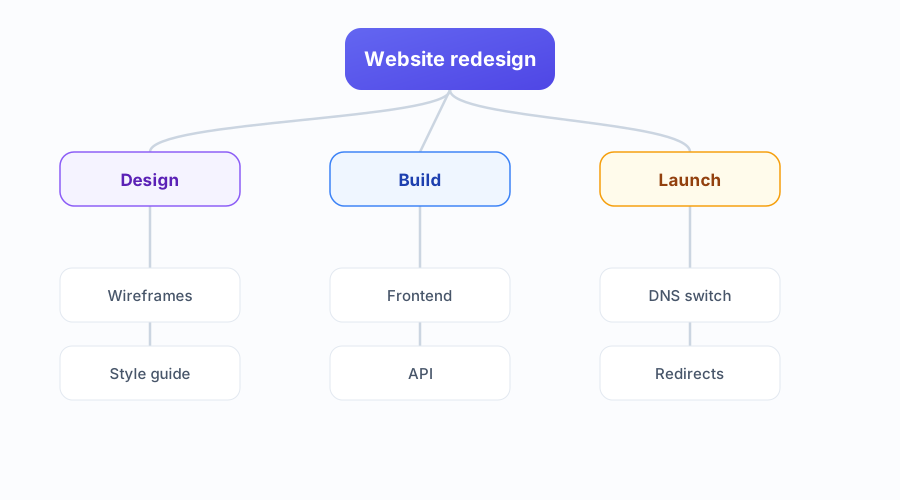
Three things separate a map you keep using from one you abandon. One idea per node keeps labels short and scannable. A consistent structure — one level of main branches, then the details underneath — lets you find anything in seconds. And a single colour per branch ties related items together without a legend.
If a branch keeps growing, split it into its own map and link the two. A map that no longer fits on one screen has usually stopped being a map.
Start from a template instead
Don't want a blank canvas? Open a free mind map template and replace the labels — try the Study Notes template for revision or the Project Brainstorm template for work. Prefer examples first? Browse our mind map examples .
FAQ
How do I create a mind map online for free?
Open Mind Map Online, type a central idea, add branches with Tab and Enter, apply an aesthetic theme, then export to PDF, PNG or JSON. No account is required — the whole process takes under 5 minutes.
How do you make a creative mind map?
Start with a bold central idea. Use 3–7 main branches with short, memorable labels. Apply an aesthetic theme like Pastel or Cyberpunk for visual appeal. Add icons or colors to distinguish branches. Keep the layout clean — white space helps readability.
How to make a mind map on a computer without installing software?
Use a free browser-based mind map maker like Mind Map Online. It runs in Chrome, Edge, Safari, or Firefox with no install. You can create, edit, and export mind maps directly on your computer — everything happens in the browser.
How long does it take to create a mind map online?
A simple mind map takes 2–5 minutes. A detailed study or project map with multiple branches and sub-branches might take 15–30 minutes. The browser tool is instant — no setup time.
How to mind map for studying?
Put the subject in the center, add chapter branches, then nest key facts under each branch. Use colors to group related concepts. Export the map for revision notes — visual memory aids retention better than linear notes.
Do I need an account to create a mind map?
No. Mind Map Online lets you create a mind map online without an account. Maps are saved in local storage and exports are watermark-free.