
Ideas
Mind Map for Brainstorming
Turn a blank page into a field of ideas with a free brainstorming mind map — one problem, unlimited branches, no filter until the session ends.
Quick answer: To brainstorm with a mind map, put the problem in the center and add every idea as a branch, then group and prune afterwards. Mind Map Online is free, runs in your browser with no login, and exports the session as PDF, PNG, SVG, or JSON.
No blank-page anxiety
The central topic is already there. Every new branch is a small win that keeps the session moving.
Ideas connect naturally
Seeing the whole map at once surfaces links between ideas that a list would keep apart. Drag nodes together to mark relationships.
From ideas to actions
After pruning, add an actions branch under each surviving idea — who does what next, with due dates.
A simple brainstorm structure
- ✓ Problem or topic — the one question you are answering.
- ✓ Idea branches — raw ideas first, grouping later.
- ✓ Categories — merge related ideas into themes.
- ✓ Actions — next steps with owners, attached to the ideas that survived.
Start from the Project Brainstorm template or the Business Plan template for company ideas, and read how to make a mind map to get the basics first.
Example map: Product launch brainstorm
Start a session with a blank canvas and the central idea "Product launch". Add one branch per area — Audience, Channels, Budget, and Timeline — then let everyone drop ideas as sub-branches in real time. The auto-layout keeps the map readable while ideas grow, and you can prune weak branches at the end without losing the original export.
How to brainstorm on a mind map
- 1
Write first, judge later
Capture every idea as a branch without editing or ordering. Speed matters more than neatness here.
- 2
Keep going past the obvious
The first ten ideas are the obvious ones. Add ten more before you start organising.
- 3
Cluster, then cut
Once ideas slow down, group related branches and delete duplicates. The structure emerges from the mess.
Three rules for a productive session
- Set a timer; a bounded sprint beats an open-ended “think of ideas”.
- Write the wild idea down — it often unlocks a realistic one next to it.
- Separate generating from judging; switching between them kills momentum.
Worked example: naming a product
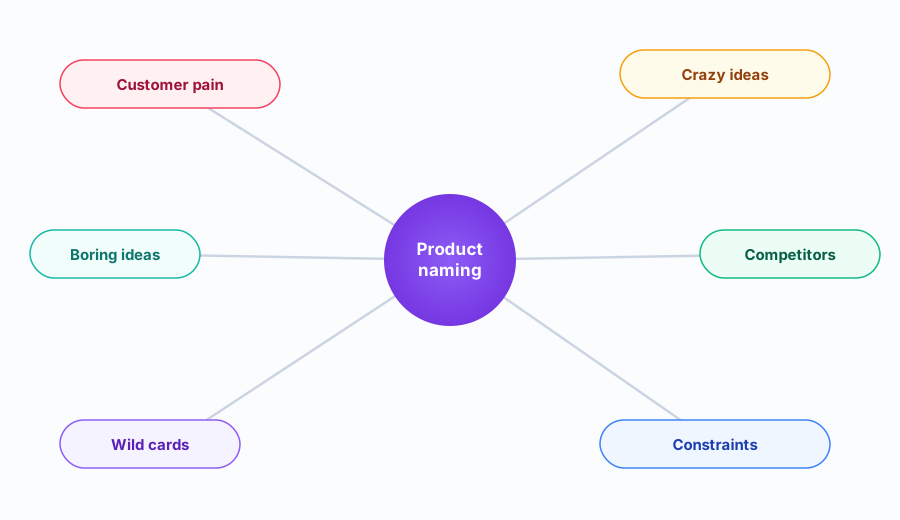
“Product name” sits in the centre, with branches for Literal, Playful, Abstract and Borrowed words, and a Constraints branch for domains and trademarks. You generate freely under each, then move the viable ones into a Shortlist branch. The constraints branch stops you falling in love with a name you cannot use.
FAQ
How do you brainstorm with a mind map?
Put the problem or topic in the center. Add every idea as a branch — no filtering while brainstorming. Once the map is full, group related ideas, drop the weak ones, and add follow-up actions under the ones that stay.
Why is a mind map good for brainstorming?
A map removes the blank page: there is always a place to put an idea, and seeing earlier ideas triggers new ones. Because everything stays visible, connections between unrelated thoughts surface naturally.
Can a group brainstorm on one map?
Yes — put the map on a shared screen or project it, and capture suggestions live as branches. When the session ends, export the map as PNG, PDF or JSON and everyone leaves with the same picture.
Why is a mind map good for brainstorming?
Because it matches how ideas arrive — fast, associative and unordered. You capture first and organise later, instead of fighting a list while you think.
How do I stop a brainstorm from going in circles?
Timebox it, and separate generating from evaluating. When you notice repetition, move to clustering — the change of mode usually restarts momentum.
Should I brainstorm alone or with a group?
Alone, a mind map keeps you from stalling. In a group, write ideas silently first (brainwriting), then add them to one map — it prevents the loudest voice setting the direction.